
For Mac, iPhone and iPad
Your databases, one friendly window.
Tabby SQL lets you browse, edit and query PostgreSQL, MySQL and SQLite without the clutter. Stuck on a query? Ask Tabby in plain words and get SQL written right on your device.
No account, no ads, no tracking. Your passwords stay in your Keychain.

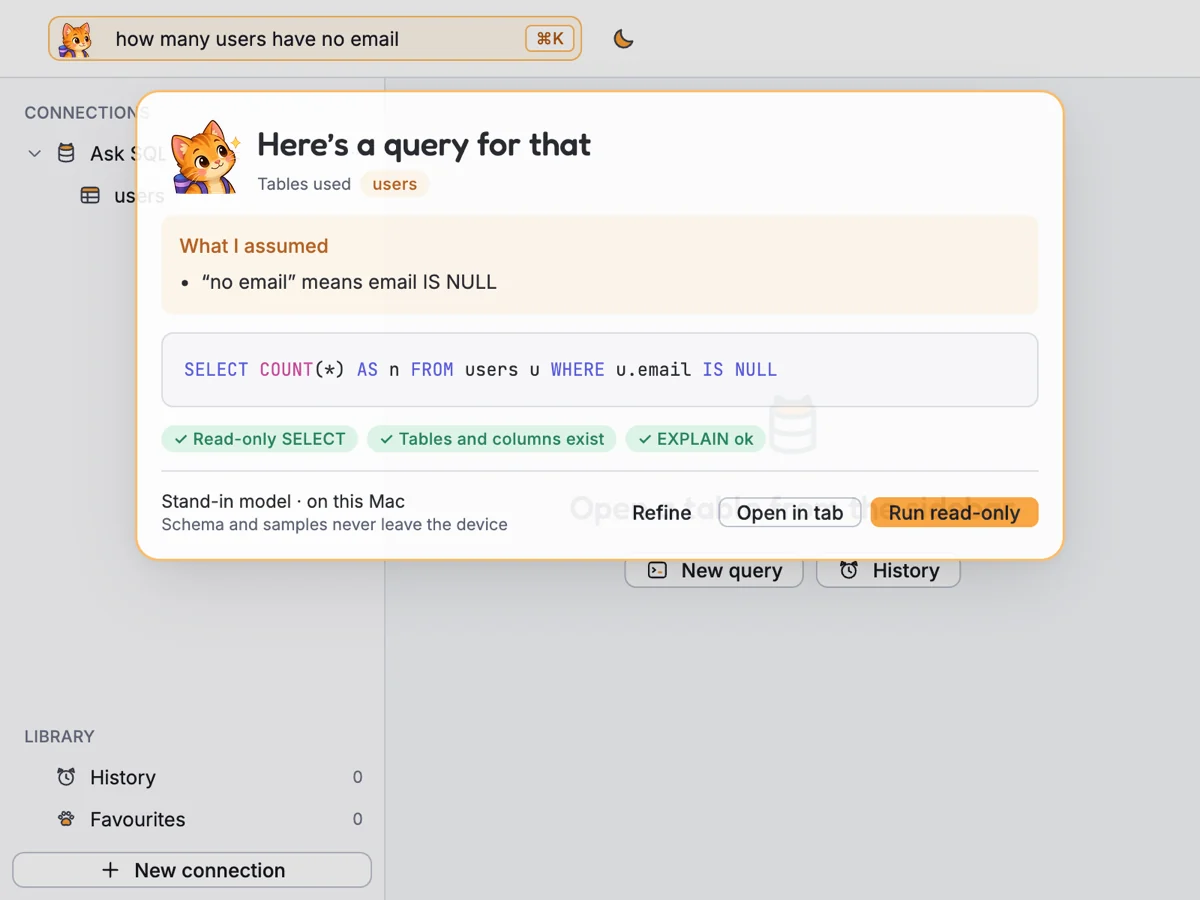
Ask Tabby
Ask in plain words. Get real SQL.
Type a question like "how many users have no email?" and Tabby writes the query from your schema. You see what it assumed, check the SQL, then run it or open it in a tab to keep editing.
- Written on your device. Tabby uses Apple Intelligence on your Mac, iPhone or iPad. Your schema and data are never sent anywhere.
- Read-only by default. Every query Tabby writes is checked to be a plain
SELECTon tables that exist before it runs. - Shows its working. Tabby lists the tables it used and what it assumed, so you can refine the question.


Everything you reach for every day
Less clicking around, more getting answers.
Tabby SQL covers the work you do with a database every day, in a window that stays out of your way.
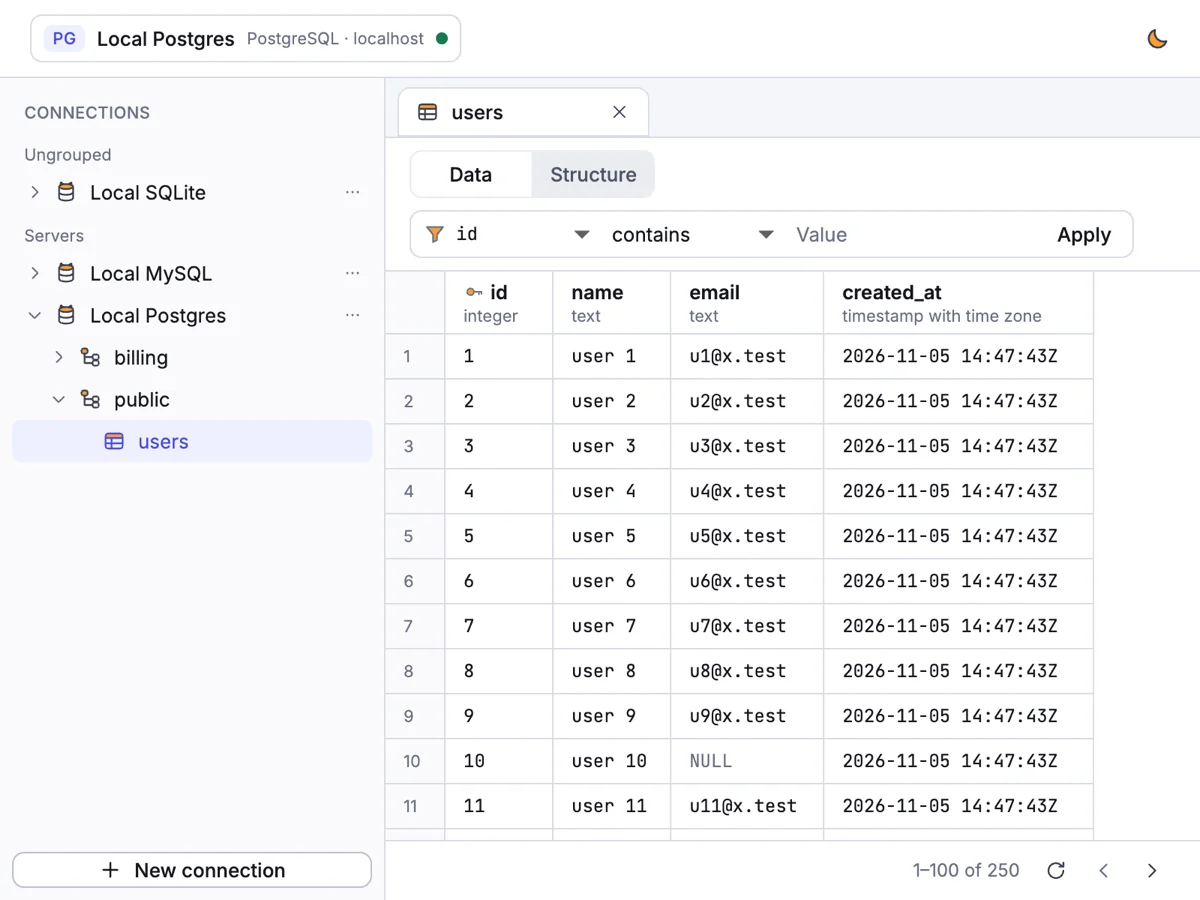
Browse and edit
See your tables. Change them safely.
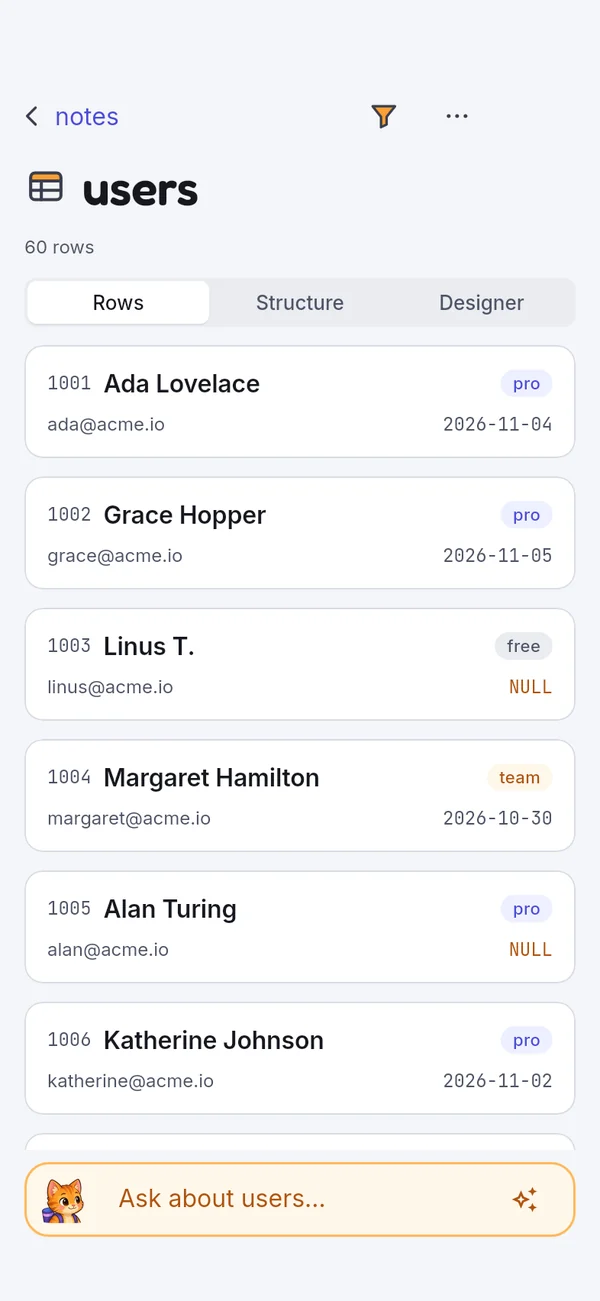
Every table with its columns and row counts. Page, filter and sort rows, then edit them in place.
Every change is shown as SQL before it runs, so nothing happens by surprise.
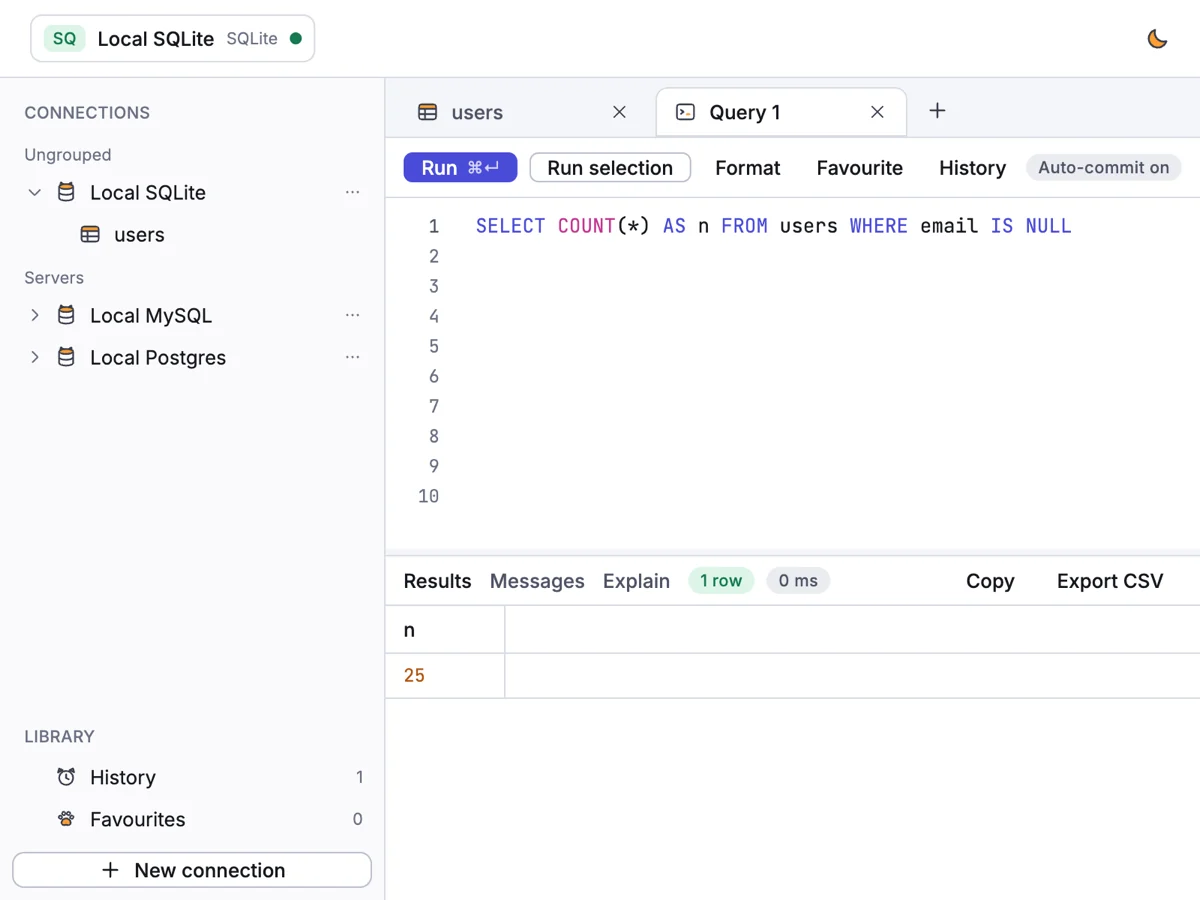
Query
Tabs for every idea.
Write SQL with highlighting and autocomplete, run the whole tab or just the selection, and read the results, messages and query plan side by side.
- Run with ⌘ ↵, format with one click
- History and favourites, kept on your device
- Copy results or export them as CSV
Connect
Paste a URL, you're in.
Paste a connection URL and Tabby fills in the host, port, database and user for you. Test it, save it, and group your connections however you like.
Passwords go straight into your Keychain, never into plain files.
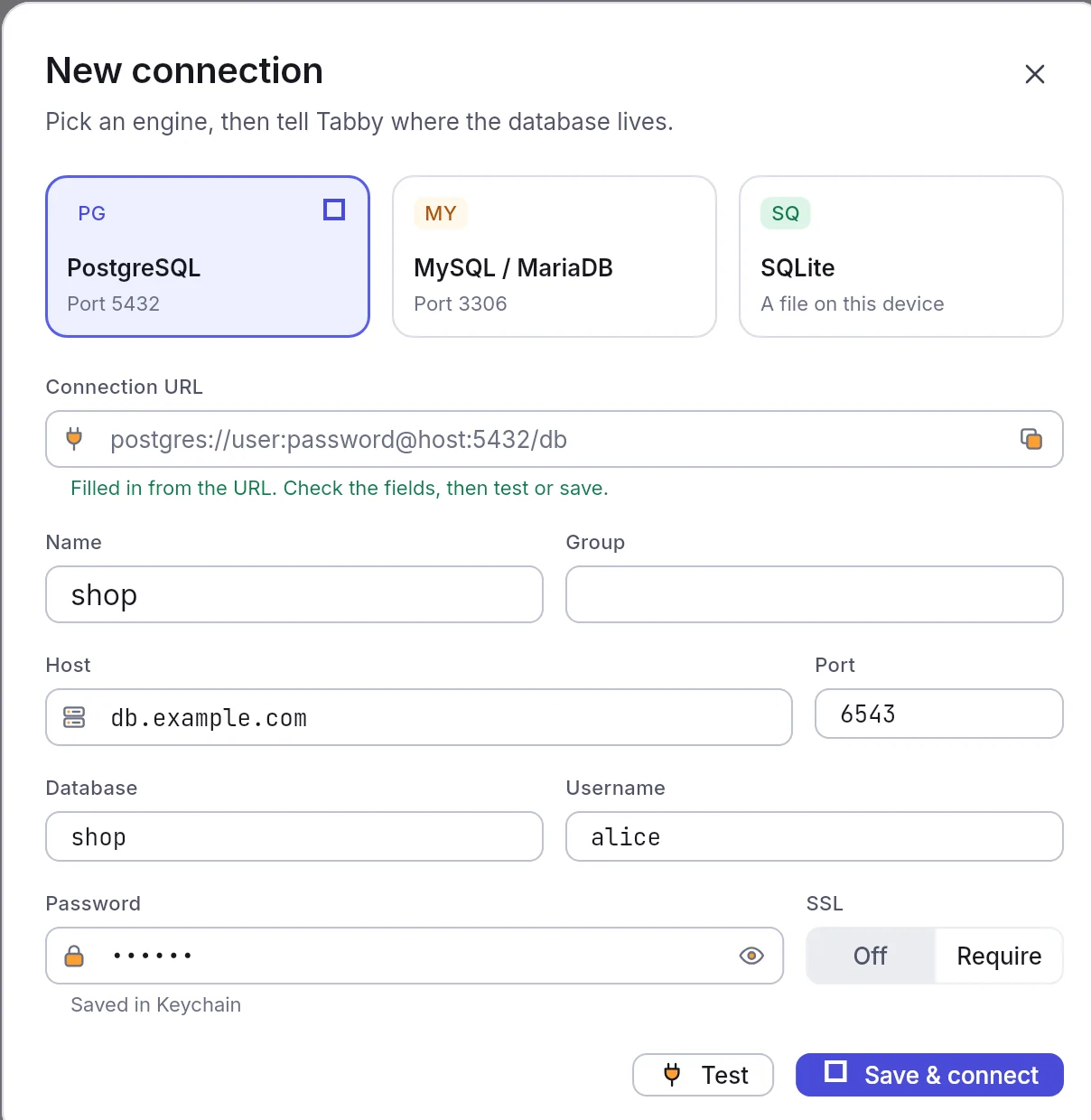
Table designer
Create and change tables, columns, keys and indexes, with the SQL shown before it's applied.
History
Every query you ran, searchable, on your device. Find it again and run it with one click.
Light and dark
Follows your system appearance, or pick one. Both are easy on the eyes at 2 a.m.
Postgres, MySQL, SQLite
Servers on your network or in the cloud, with SSL when you need it, and SQLite files on your device.
Filter in a click
Filter and sort any table without writing a WHERE clause. The SQL is there when you want it.
Try it with sample data
No server handy? Open the built-in sample shop database and explore every feature in seconds.
Take the tour
A quick look around Tabby SQL.
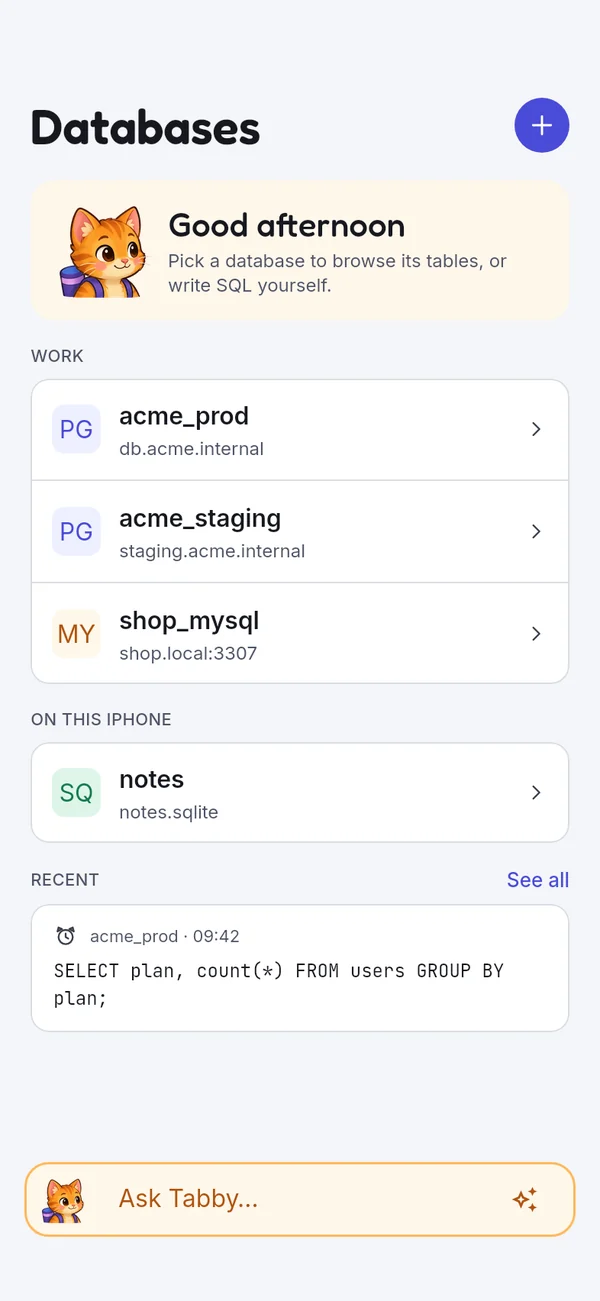
iPhone and iPad
Your databases, in your pocket.
The same connections, tables and queries on iPhone and iPad, laid out for a touch screen. Check last night's numbers on the train, or fix a row from the sofa.


Private by design
Tabby keeps your secrets. All of them.
Tabby SQL talks only to the database servers you add. There's nothing to sign up for and nothing phoning home.
- No data collectedNo accounts, no analytics, no ads, no crash reporting service.
- Keychain passwordsSaved passwords live in your device's Keychain, never in files.
- On-device AIAsk runs on Apple Intelligence on your device. Nothing is uploaded.
Read the full privacy policy.

Say hi to Tabby SQL.
One friendly window for PostgreSQL, MySQL and SQLite, on your Mac, iPhone and iPad.
Coming soon on theApp StoreMac (macOS 12 or later), iPhone and iPad (iOS 15 or later). Ask Tabby needs a device with Apple Intelligence turned on.